

PhotoDVD software converts any photos so you can watch on your DVD player. Start creating your own slideshows now with just a few clicks!

Make your own slideshow from photos on your computer
- Simple and powerful software for creating photo slideshows
- Add pictures, music and comments
- Customize the slideshow then output to PC/ TV or web.
- Export by burning to DVD, YouTube or Facebook
From any video file format to DVD format converting and burning in one shot.
PhotoDVD is a slideshow creator and DVD burning software that will animate your photos and burn the output to DVD so you can share them with all your beloved ones.
PhotoDVD is one of the most powerful photo slideshow dvd maker in the market which is integrated with tools to create cool slideshows and output them to DVD disc or online to YouTube.
VSO PhotoDVD has implemented a graphical friendly interface which makes it easy to use and you can start converting your photos to DVD easily with just a few clicks. You can add music, create transitions between photos, add comments for every photo, and other tools which guarantees you professional good looking slideshows.
-

Burn photos to DVD or publish YouTube slideshow
With PhotoDVD you can burn your photos as a slideshow to DVD, and enjoy watching your photo slideshows on your standard DVD player. Another powerful option provided by PhotoDVD is that you can publish your slideshow to YouTube.
-
Photo slideshow maker which could be played on any Device
VSO PhotoDVD is a photo to DVD slideshow, however you can scale up your output to make your slideshow live on YouTube. This function will make your slideshow available online, thus you can enjoy watching your slideshow online or just on a DVD standard player.

-

Super Fast conversion with the powerful PhotoDVD engine
VSO PhotoDVD is a slideshow dvd maker which burns your photo slideshow output extra fast comparing to others. This Picture to DVD software is focusing on people who want to burn their slideshows to DVD discs with extra fast speed and excellent quality. It can also create your project to be suitable for online video sharing websites such as YouTube.
-
New and wonderful experience with this software
After downloading VSO PhotoDVD; the most powerful slideshow dvd maker in the market, you can enjoy by few clicks animating your photos and turning your digital photos live into action. You can add any music you want, create transitions between pictures, add comments and others. With all this what was mentioned, you will definitely creating slideshows and showing them to your friends by burning to hard DVD disc or just publish your ready slideshow to YouTube or Facebook.

-
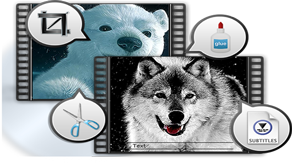
Slideshow movie creator out of your photos
VSO PhotoDVD is a slideshow that will convert your digital pictures to life. Things are very simple and easy with this software. PhotoDVD provides you with powerful tools to create special effect to your photos. There are various transitions to add, animations, photo editing by rotating or changing to back and white, adding background music, etc. With all these tools you will bring your photos to life.
Getting Started with PhotoDVD
- 1. Add or drag and drop your photos to PhotoDVD
- 2. Customize your pictures, edit, add comments, and music
- 3. Create transition between photos, or let PhotoDVD do it automatically
- 4. Finally Export your slideshow to YouTube or create a DVD slideshow, or even share on Facebook
Limited-Time Offer
Buy PhotoDVD the full version now and
$40 Now only $29.99
Buy NowSecure Online Payment
Or
Download Free Functional Edition
- PhotoDVD
- VSO Software
- Latest
- Windows
Safe Download 100% Virus Free


