

ConvertXtoDVD software converts any video file so you can watch on your DVD player. Start burning your own DVD movies now with just a few clicks!
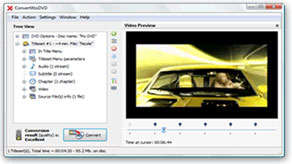
Make your own DVD movies from video files on your computer
- Convert almost any video file format, HD or SD, to DVD
- Burn to DVD disc or create a DVD folder to burn later
- Supports subtitles files
- Strong burning engine with high DVD quality output
From AVI video format to DVD disc with menus, subtitles, and movie chapters.
ConvertxtoDVD is a powerful software that burns any video format: First convert them and then automatically burn the output to DVD. Now you can create your own DVDs freely with what you want. Your downloaded video files, camcorder videos, and most other known video formats can now make up your next DVD movie! ConvertxtoDVD is a DVD creator software that will convert the DVD format file from any video file which you can save to burn later or burn automatically to empty DVD disk.
Multi-core processing power, Multi-threading, and GPU acceleration high-tech such as Intel Quick Sync and CUDA are utilized to their best with ConvertXtoDVD, which guarantees high ending results.
ConvertXtoDVD can convert almost any video file format, whether it was a video you downloaded or a camcorder video.
Supported formats include: AVI, MKV, MP4, M2TS, TS, MOV, WMV, 3GP, FLV, VOB, and more.
-
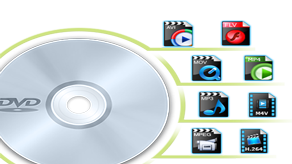
Accept any video format downloaded on your computer
Accept any video format such as MP4, QT, FLV, H.264, MOV, AVI, MP3, MPEG, M4V, to name just a few. Watching your video file on Windows player or QuickTime does not mean you can watch it on your DVD player. You must use ConvertXtoDVD which will take your video(s) and burn them to your DVD disc.
-
Convert video to DVD disc or ISO folder
ConvertXtoDVD can create a DVD disc from any video of any format (AVI, MPEG, FLV, VOB, M2TS, TS, QT, RMBV, MPG, DAT, and other popular formats. Not only movies on your PC, but also any videos recorded via your camcorder could be converted to DVD. ConvertXtoDVD allows you to burn any video you have on your computer. All types of DVDs are supported (DVD+R DL,DVD-R DL, DVD-5 and DVD-9)

-

Super-Fast conversion with the powerful ConvertXtoDVD engine
ConvertXtoDVD implemented a high quality burning engine which provides a fast burning process with no errors. Enjoy the super speed conversion process of your videos.
-
New and wonderful experience with this software
After downloading ConvertXtoDVD, and start burning your movies and videos, you will be introduced to a new experience where you can burn multiple videos and movies to one DVD. You can also take a look on our step by step tutorial on how to convert AVI to DVD disc,where the user can choose the video to be played. This AVI to DVD is more than just a video converting and burning software. It is a movie creator where you can create your own DVDs with menu customization (adding more than one movie into your DVD by just dragging and dropping your videos), setting up the chapters, and adding subtitle files for your videos, and finally converting and burning your videos to DVD.

-
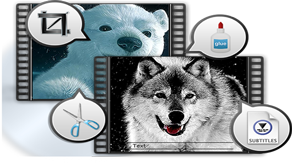
Trim, Crop, Merge, Add External Subtitle
ConvertXtoDVD provides strong Trim --- Cut off video clips/segments by specifying start and end times. Crop --- Crop frame size to edit out any unwanted borders, backdrops. Merge --- Join and combine separate movie titles into a single video file. Add External Subtitle - Attach your preferred language subtitle to movie.
Getting Started with ConvertXtoDVD
- 1. Add or drag and drop your videos to ConvertXtoDVD
- 2. Drag any subtitle files, customize your chapter, etc.
- 3. You can add your start up DVD menu (optional)
- 4. Click convert, and you're ready to go!
Limited-Time Offer
Buy ConvertXtoDVD the full version now and save 20% with our coupon code! Just type "iburner" in discount coupon
$40 Now only $32
Buy NowSecure Online Payment
Or
Download Free Functional Edition
- ConvertXtoDVD
- VSO Software
- Latest
- Windows
Safe Download 100% Virus Free


